The day in blocks
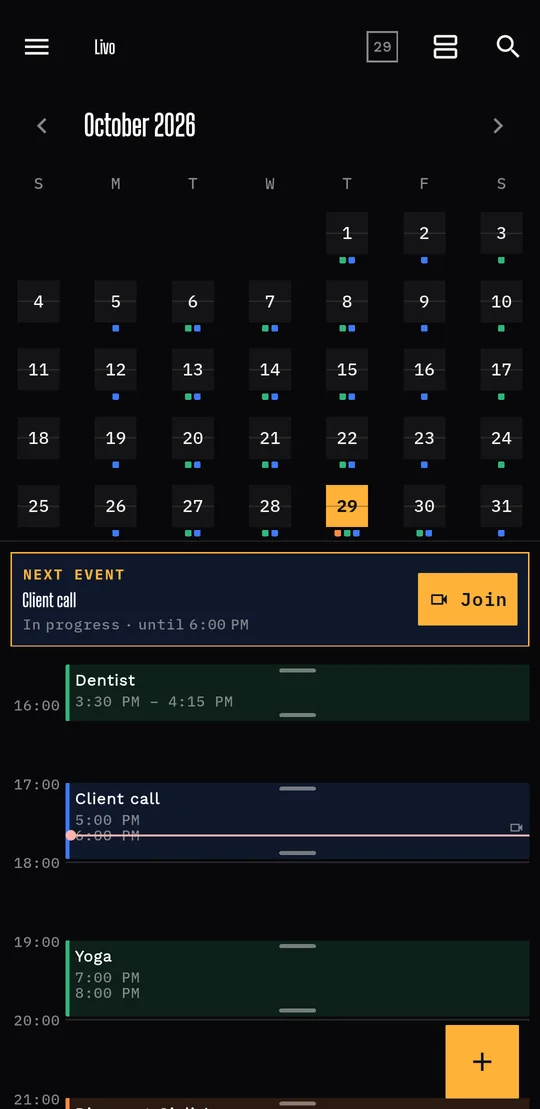
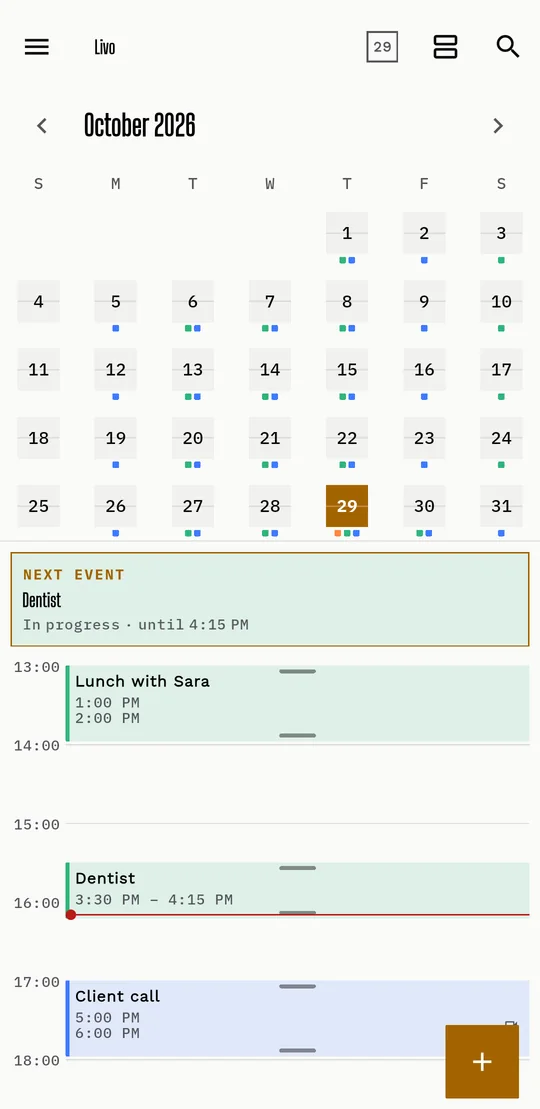
Events are blocks as long as they last. Drag an edge to change the duration and long-press an empty slot to create one.
Calendar for iPhone and Android
Livo shows your day like a departure board: tidy, clear, with everything at the right moment. Share events, know when to leave, no ads.
Coming soon to the App Store and Google Play · tablets to follow
Main features
The things you use every day, done well.
Events are blocks as long as they last. Drag an edge to change the duration and long-press an empty slot to create one.
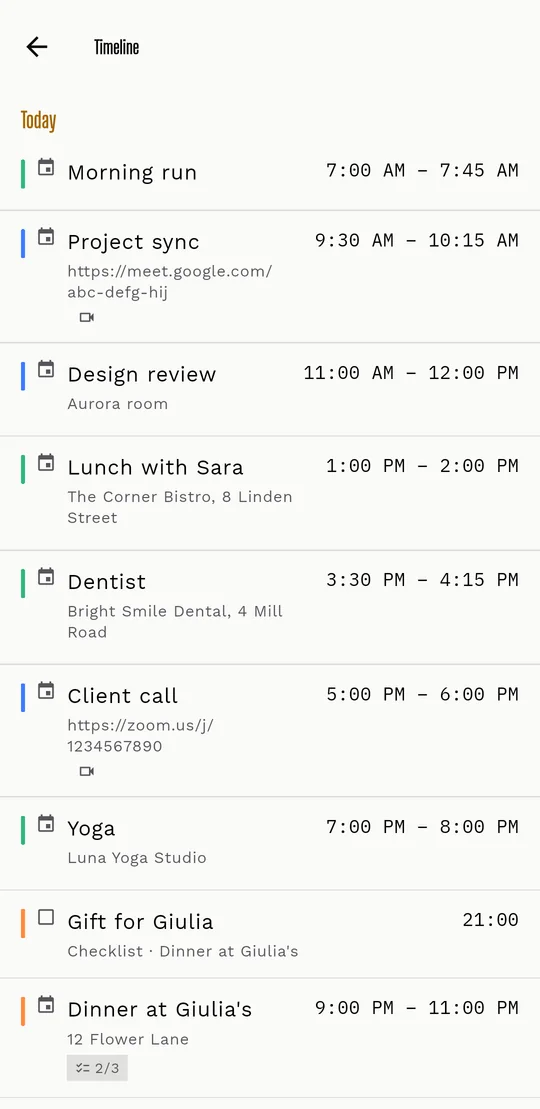
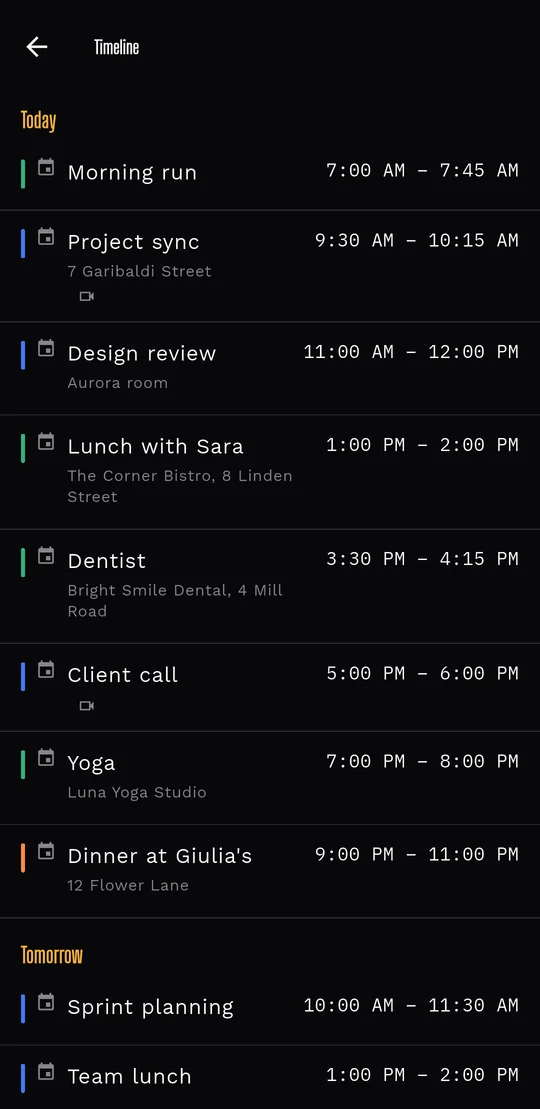
The month with your calendar colours, the week in an instant and a list Timeline to scroll everything.
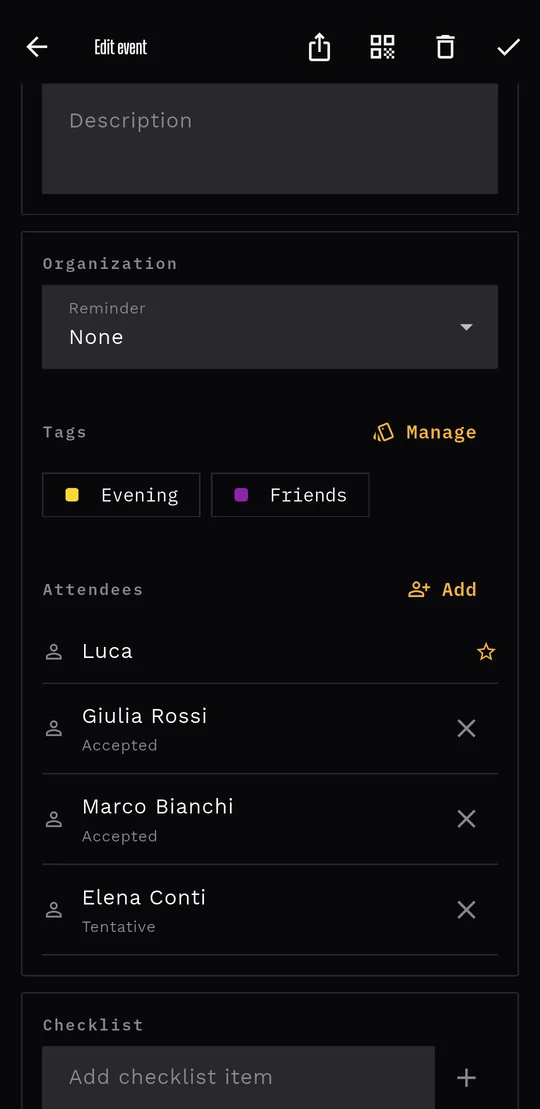
Invite people, see who accepted and propose a new time. For someone next to you, a QR code is enough.
Chat in the comments and tick the to-do list together. Everyone sees the updates.
If an event has a place, Livo works out how long it takes. One tap on Navigate opens the directions.
The expected conditions for the event's day and place (clear, rain, snow…), so you know whether to bring an umbrella.
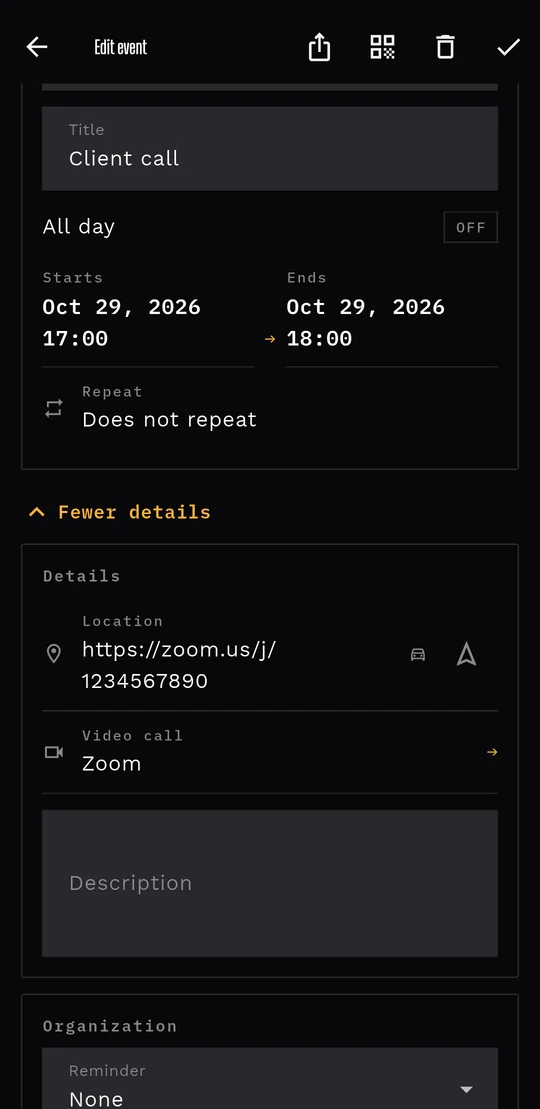
Zoom, Google Meet, Teams, Webex and more are recognised: one tap and you're in.
Alerts before the event, even with the app closed, and Today and Week widgets on your Home screen.
A recap of your week: the busiest day, the busiest calendar, the longest event.
And more
Travel time, weather and shared events need a Google sign-in; travel time and weather use your approximate location, only if you turn them on.
Forecast
Next to events with a place, Livo draws the forecast with its own icons: you see them in the Timeline and in the day view, without opening another app.
Benefits
Less time managing the calendar, more time for what you put in it.
Blocks, colours and the next event on top: no need to read every line to know what today looks like.
Travel time, weather and reminders work together: you know when to leave and whether you need an umbrella.
Invitations, replies, comments and checklists live inside the event. No more "who's bringing what?" in the chats.
Livo reads your phone's calendars, Google, iCloud and the rest. You don't have to move anything.
The history of edits and deletions lets you go back.
No ads and no tracking. Only what you choose to share is uploaded.
How it works
There's nothing to set up: open Livo and you're already inside your day.
The month with your calendar colours, the next event with the time left and the day in blocks.
Open an event with a place: Livo works out the trip and shows the forecast. A video call? One tap.
Add attendees, write the details and tick the checklist together. Everyone sees the replies.
Your style
Livo follows your phone's theme, or you pick. The event form has three layouts and the app speaks English, Italian, German and French.
Ticker Replay
At the end of the week Livo tells you how it went: the busiest day, the busiest calendar, the longest event. In departure-board style.
FAQ
Yes. Livo is free and has no ads.
Livo reads the calendars already on your phone, so it works with the ones you have: Google, iCloud and the rest. You don't have to import anything.
Not to use the calendar. Signing in with Google is only needed for the online features: shared events, weather and travel time.
Your events stay on your phone. If you share an event, its title, time, place, attendees, comments and checklist are stored on Google servers (Firebase) and only the participants see them. It's all in the privacy policy.
On iPhone and Android. Tablets are next: iPad and Android tablets.
Soon on the App Store and Google Play. Write to livo@livo.day and we'll let you know as soon as it's available.
We're about to land on iPhone and Android, with tablets next. Write to us and we'll let you know as soon as it's available.
Questions? Write to livo@livo.day